

Makaira supports three authentication types for the API.
HASH Based Message Authentication (HMAC)
This is the usual way to call the API from a shop, importer, or other integration.
Send the headers X-Makaira-Nonce and X-Makaira-Hash. Generate a cryptographically random nonce and calculate the hash over the request body with your API key.
Older documentation called the API key a Shared Secret. It is the same credential. Create and manage keys under Administration → API Keys, or with POST /secret.
The original shop Connect secret is the first API key (description legacy secret). You can generate a new key, assign the permissions Connect needs (use the Importer preset), and put that key in the shop module. HMAC does not change.
public function generateSignatureHeaders($body = null, $apiKey)
{
    $nonce = bin2hex(random_bytes(16));
    $hash = hash_hmac('sha256', $nonce . ':' . $body, $apiKey);
    $headers[] = 'X-Makaira-Nonce: ' . $nonce;
    $headers[] = 'X-Makaira-Hash: ' . $hash;

    return $headers;
}
const nonce = [...crypto.getRandomValues(new Uint8Array(16))]
.map((b) => b.toString(16).padStart(2, '0'))
.join('');
const apiKey = '<API key>';
const hashString = nonce + ':' + request.data;
const hash = CryptoJS.HmacSHA256(hashString, apiKey);
req.setRequestHeader('content-type', 'application/json');
req.setRequestHeader('X-Makaira-Hash', hash);
req.setRequestHeader('X-Makaira-Nonce', nonce);Use an active key. The key must include the API permissions for the endpoint you call (colon notation such as search:write or persistence:write).
External Apps use a separate clientSecret only for iframe HMAC. That is not an API authentication method; see External Apps.
BasicAuth
BasicAuth is used for direct curl requests with instance credentials (not User Management logins).
curl -X PUT \
  https://<CUSTOMER>.makaira.io/<ROUTE> \
  -u "<login>:<password>"
curl -X PUT \
https://<CUSTOMER>.makaira.io/<ROUTE> \
-H 'Authorization: Basic <BASIC-AUTH>' \
-H 'Content-Type: application/json'JSON Web Token (JWT)
Use a Bearer JWT from a signed-in Makaira user. There is no public login endpoint that returns a token. Sign in to the Makaira admin, perform a request, and copy the Authorization header.
The token carries feature permissions from the roles assigned to that user (dot notation such as search.read).
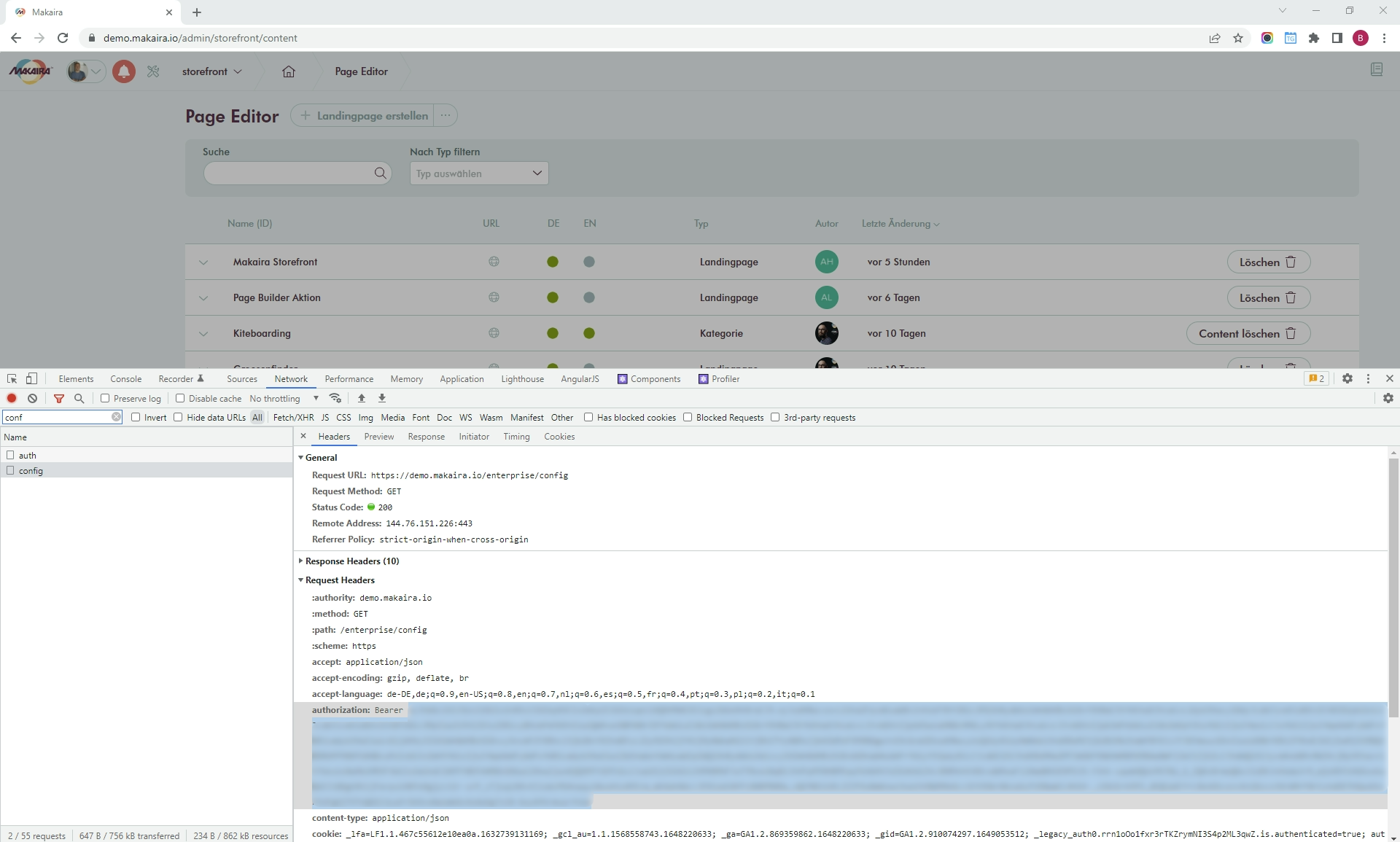
Getting the JWT from your account